
Your Workforce Operating System Headquarters.
Hire your team. Bring them onboard. Schedule the work. Run the workforce — and give employees one place to stay connected.
Ask OSHQ.AI about your workforce.
Shared OSHQ reasoning over the workforce context you are authorized to see.
Examples only. OSHQ.AI answers after sign-in, inside the workforce data you are authorized to see.
Role-aware access
Owners, managers, and employees each see only the surfaces their role allows.
Scoped to your workspace
Records, schedules, and messages stay scoped to your business and locations.
One place for employees
Staff get their schedule, requests, tasks, and messages in a single home.
One workforce lifecycle.
From the first application to the everyday shift.
Hire
Job postings, public application pages, candidate review, and applicant messaging in one pipeline.
Onboard
Turn a hired applicant into an employee, issue portal invites, and guide onboarding step by step.
Schedule
Employee availability, schedule drafts, conflict review, publishing, open shifts, and coverage.
Operate
Employee records, requests and time off, policies, tasks, and the daily manager decision list.
Listen & communicate
Announcements, messages, workforce surveys, and Employee Voice — routed to the right people.
A manager operating system and an employee home.
For managers
- A home screen that ranks what needs a decision right now.
- Hire from an application and start onboarding in one flow.
- Draft, review conflicts, and publish the schedule with notifications.
- Send announcements to the right locations, groups, and roles.
For employees
- Schedule, availability, coverage, and time-off requests in one place.
- Onboarding steps and status without chasing a manager.
- Assigned tasks, policies, and learning items.
- Open shifts to claim and messages from their team.
Everything waiting on a decision, ranked by urgency and scoped to what you manage.
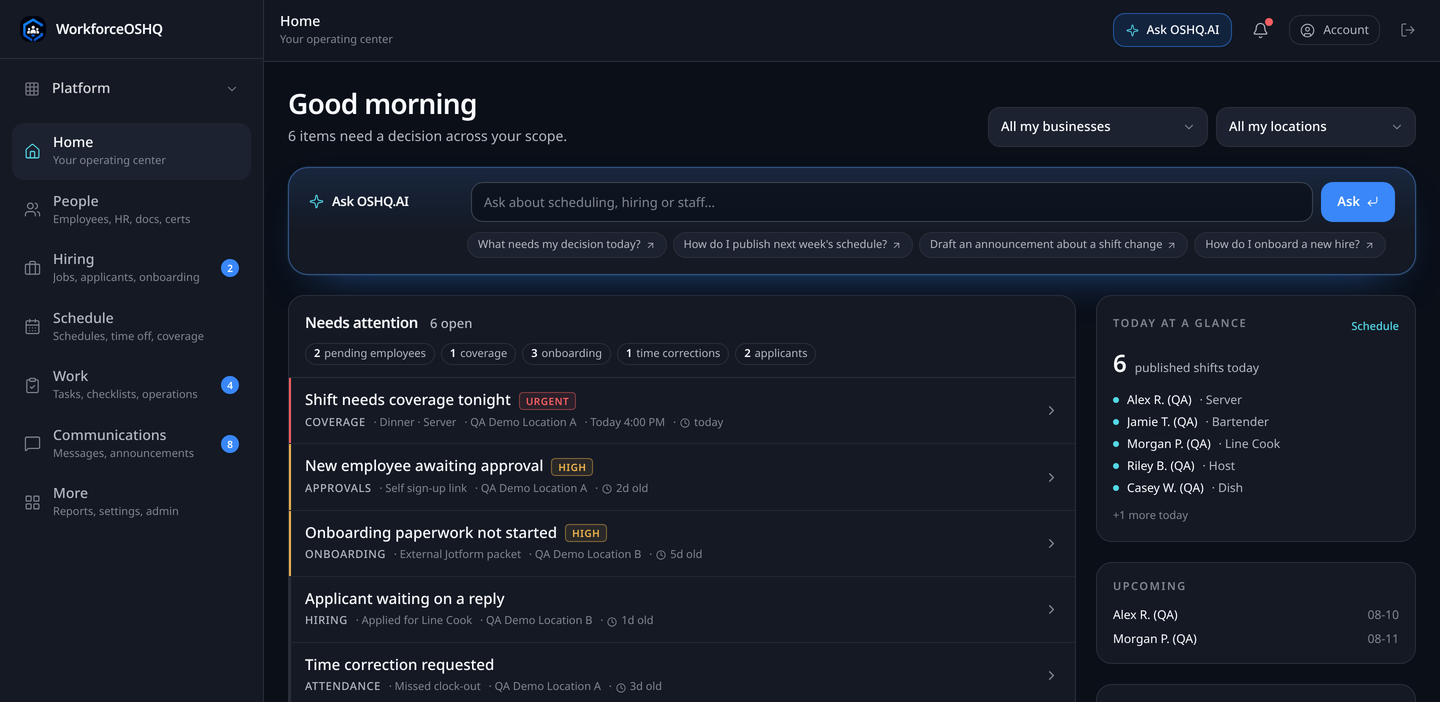
Product screens captured with demo data.
Access
Work with WorkforceOSHQ.
Already set up? Sign in to your workspace. If your operation needs a workforce system rather than another tool, get in touch.